Introduction
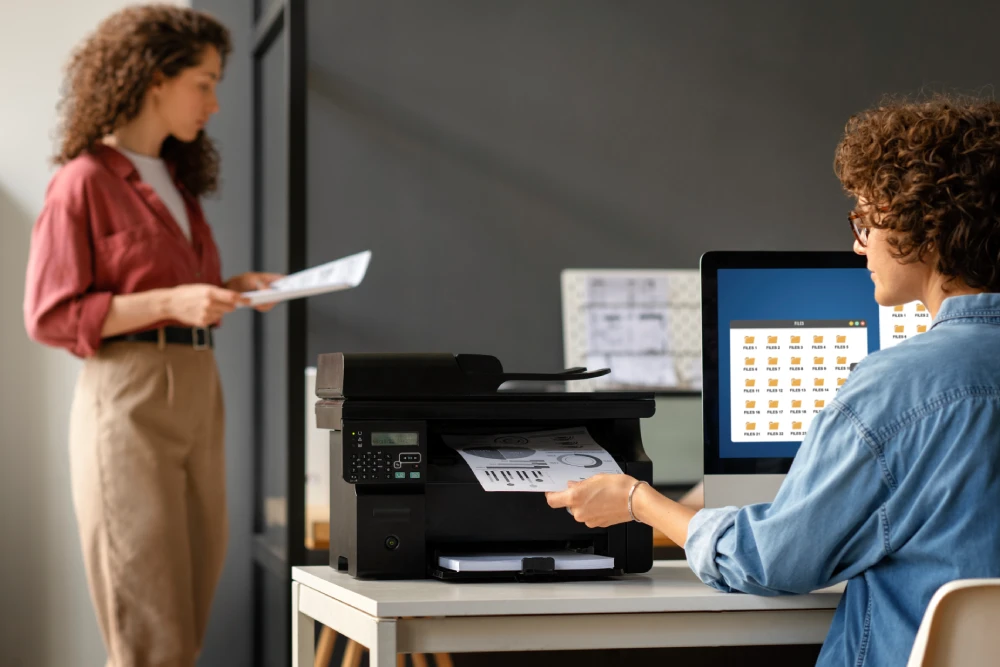
If your desk is cluttered with a printer, scanner, copier, and fax machine, it’s time for an upgrade. Multi functional printers (MFPs) combine all these tools into a single device, helping homes and businesses save space, money, and daily hassle. In 2026, MFPs have become smarter, faster, and more affordable than ever, making them the obvious choice for anyone who wants efficient document management without the clutter.
This guide breaks down what makes a great multi functional printer today, how to choose one that fits your needs, and how to set it up correctly the first time.
What Is a Multi Functional Printer?
A multi functional printer is a single device that prints, scans, copies, and often faxes documents. Instead of buying separate machines for each task, you get one compact unit that handles them all. Most modern MFPs also support wireless printing, mobile apps, and cloud connectivity, which makes remote work and hybrid offices much easier to manage.
Why Businesses and Homes Are Switching to MFPs
- Space savings — one machine instead of three or four
- Lower upfront cost compared to buying separate devices
- Reduced maintenance, since you only service one machine
- Centralized printing for teams sharing one network
- Energy efficiency, as a single device uses less power than multiple machines
Affordable Multi Function Printers Worth Considering
You don’t need to spend a fortune to get reliable performance. Several affordable multi function printers now offer solid print quality, decent speed, and wireless connectivity for under $300.
When shopping on a budget, look for:
- Ink or toner cost per page, not just the sticker price
- Print speed of at least 20 pages per minute
- Built-in Wi-Fi and mobile app support
- Automatic document feeder for faster scanning
Budget models are ideal for home offices, students, and small teams with light to moderate printing needs.
Heavy Duty MFP for Small Business
Small businesses with higher print volumes need something more robust than an entry-level model. A heavy duty MFP for small business is built to handle thousands of pages per month without breaking down, and typically includes a larger paper tray, faster processor, and tougher internal components.
Key features to prioritize:
- Monthly duty cycle of 20,000+ pages
- Multiple paper trays for different sizes
- Enterprise-grade security features
- Fast first-page-out time for high-traffic offices
Investing in a heavier-duty unit upfront usually costs less over time than repeatedly repairing or replacing a budget machine under heavy use.
Laser Multi Functional Printers vs. Inkjet
One of the biggest decisions buyers face is choosing between laser and inkjet technology.
| Feature | Laser MFP | Inkjet MFP |
| Best for | High-volume text printing | Photos and color-rich documents |
| Cost per page | Lower long-term | Higher long-term |
| Speed | Faster | Slower |
| Upfront cost | Higher | Lower |
| Maintenance | Less frequent | More frequent |
Laser multi functional printers are generally the better choice for offices that print mostly text documents, while inkjet models still hold an edge for vibrant photo printing.
Wireless MFP Specifications to Look For
Wireless connectivity is now a standard expectation, but not all wireless setups are equal. When comparing wireless MFP specifications, check for:
- Wi-Fi 5 or Wi-Fi 6 support for faster, more stable connections
- Wi-Fi Direct for printing without a router
- Bluetooth for quick mobile pairing
- Ethernet port as a backup for stable wired networking
- Mobile app compatibility (iOS and Android)
A printer with strong wireless specs reduces dropped connections and makes it easier for multiple users to print from different devices.
Cloud Printing Multi Function Printers
Cloud printing multi function printers let users send print jobs from anywhere, without needing to be on the same network as the printer. This is especially useful for remote teams or businesses with multiple locations.
Common cloud printing features include:
- Email-to-print functionality
- Integration with Google Drive, Dropbox, and OneDrive
- Remote print job management through an app
- Secure user authentication before printing
Cloud-enabled MFPs are quickly becoming the standard for hybrid workplaces where employees split time between home and office.
How to Set Up a Multi Function Printer
Setting up a new MFP is simpler than most people expect. Follow these steps for a smooth installation:
- Unbox and install ink or toner following the manufacturer’s instructions.
- Connect to Wi-Fi through the printer’s control panel or setup app.
- Install drivers on every computer that will use the printer.
- Download the mobile app if you plan to print from phones or tablets.
- Run a test print, scan, and copy to confirm everything works correctly.
- Set up cloud printing if your model supports it, linking your preferred cloud storage accounts.
Most modern MFPs guide you through setup using an on-screen wizard, so technical experience isn’t required.
All-in-One Printer vs. Separate Devices
Some buyers still wonder whether an all-in-one printer vs separate devices makes more sense. The answer depends on your workload and risk tolerance.
Choose an all-in-one printer if:
- You have limited space
- Your budget favors one upfront purchase
- You want simplified maintenance and supplies
Choose separate devices if:
- You print extremely high volumes daily
- You can’t afford downtime if one function fails
- You need specialized, professional-grade scanning or copying
For most homes and small to mid-sized businesses, an MFP offers the better balance of convenience and cost.
Conclusion
Multi functional printers in 2026 deliver more value than ever, combining printing, scanning, copying, and cloud connectivity into one reliable machine. Whether you need an affordable multi function printer for home use or a heavy duty MFP for small business operations, there’s a model built to match your workload and budget. Before buying, compare laser versus inkjet performance, check wireless MFP specifications, and confirm cloud printing support to future-proof your purchase. Ready to simplify your printing setup? Start comparing models today and choose the MFP that fits your space, budget, and daily demands.
Frequently Asked Questions
What is the difference between a multi functional printer and a regular printer?
Are laser multi functional printers better than inkjet for offices?
How much should I spend on an affordable multi function printer?
Reliable affordable multi function printers typically range from $150 to $300, depending on speed, paper capacity, and wireless features. It’s important to also factor in ongoing ink or toner costs, since cheaper printers sometimes have higher per-page printing costs. Comparing total cost of ownership gives a more accurate budget picture.